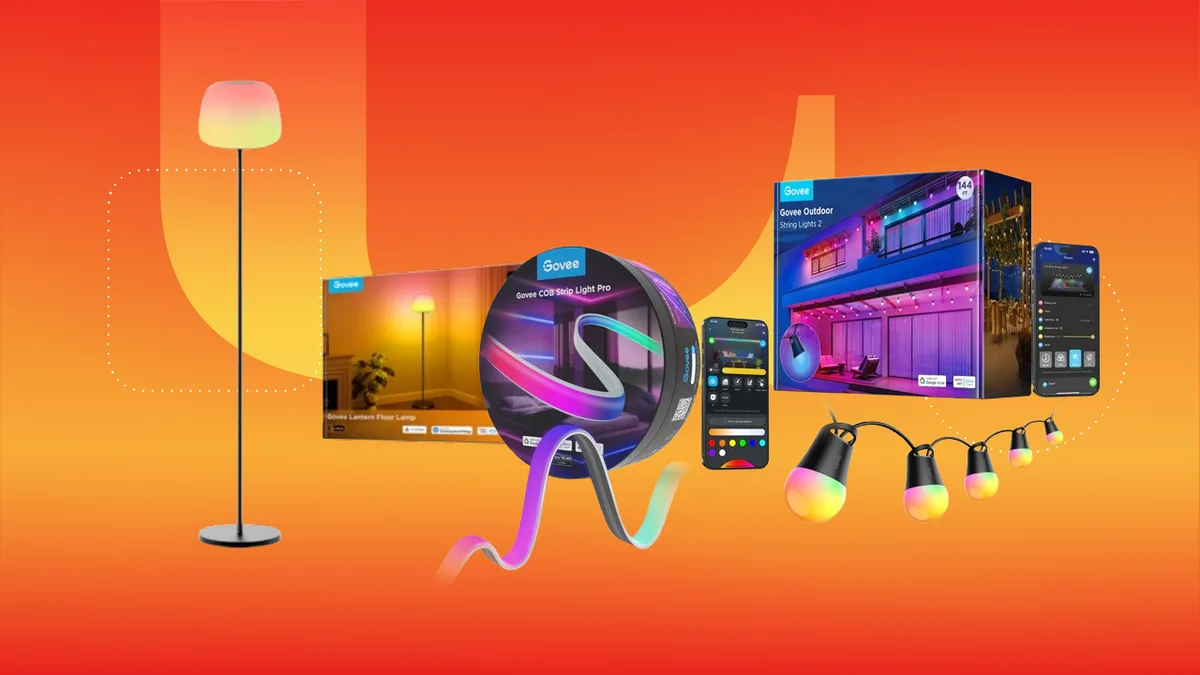
Smart lighting refers to LED-based lighting systems that connect to your home Wi-Fi or Bluetooth network, allowing you to control brightness, color, and scheduling through a smartphone app or voice assistant. Unlike traditional "dumb" bulbs, smart lights use integrated controllers to adjust light temperature and color profiles, which can influence your home’s energy efficiency and your circadian rhythm.
Recent market data indicates that the smart lighting sector continues to grow as consumers look for ways to reduce electricity costs through automated scheduling and dimming capabilities. According to industry reports, smart LED bulbs can consume up to 75% less energy than incandescent lighting, providing a measurable return on investment over the lifespan of the hardware.
Smart lighting is a tool for home automation that provides granular control over your environment, improving security and energy management. By replacing standard bulbs with smart alternatives, you gain the ability to set "scenes"—pre-configured color and brightness settings—that adjust automatically based on the time of day or your physical presence in a room.
Beyond aesthetics, smart lighting functions as a security asset. Many systems allow you to set "away" modes that randomly toggle lights while you are traveling, creating the appearance of occupancy. When evaluating a system, prioritize those that integrate with your existing ecosystem, such as Amazon Alexa, Google Home, or Apple HomeKit. Compatibility is the most significant factor in long-term usability.
Choosing the right connection type is the most critical technical decision you will make when building a smart home lighting setup. Wi-Fi lights connect directly to your router, while Bluetooth lights connect to your smartphone or a dedicated hub.
- Wi-Fi Lighting: These are ideal for standalone installations. Because they connect to your router, you can control them from anywhere in the world using your phone. However, if you add too many, they can congest your home network, leading to latency or connection drops.
- Bluetooth Lighting: These are best for individual rooms or small setups. They are generally more energy-efficient and faster to respond but require you to be within range of the lights to control them unless you purchase a specialized bridge or hub.
- Hybrid Systems: Premium brands often use a combination of Bluetooth for local control and a hub for remote access. This is the most reliable setup for larger homes with multiple rooms.
If you are just starting, begin with a small, room-specific kit to test the app’s interface. If you find the software unintuitive, you will be less likely to use the automation features that provide the most value.
Keep exploring
More from GroundworkRGBIC (Red, Green, Blue, Integrated Circuit) is a lighting technology that allows for multiple colors to be displayed on a single strip of light simultaneously. Traditional RGB lights can only display one color at a time across the entire length of the strip.
This technology is particularly useful for gaming setups or accent lighting, as it allows for "segmented" control. You can program a strip to show a gradient of colors or specific patterns that sync with music or on-screen content. When shopping for LED strips, look for the term "addressable LEDs," which confirms that each segment of the strip can be controlled independently. This distinction is vital if you are looking for dynamic lighting rather than static, single-color illumination.
Proper installation ensures that your smart lights remain responsive and consistent. While the process varies by brand, the core steps remain the same across most modern systems:
- Check your network: Ensure your Wi-Fi is broadcasting on a 2.4GHz band, as most smart devices do not support 5GHz frequencies.
- Install the hardware: Screw in the bulbs or mount the LED strips. Ensure the light switch remains in the "on" position, as cutting power to the switch will render the smart features useless.
- Download the manufacturer app: Create an account and ensure the app has the necessary permissions to access your local network.
- Pair the device: Follow the in-app instructions to put the light into "pairing mode" (often achieved by toggling the power switch three to five times).
- Sync with your voice assistant: Once the light is visible in the manufacturer app, navigate to your Alexa or Google Home app to link the accounts and enable voice commands.
If you experience connectivity issues, the most common culprit is a weak Wi-Fi signal at the bulb's location. If your lights frequently go "offline," consider a Wi-Fi range extender or a mesh networking system to improve signal strength in that specific room.
While the upfront cost of smart lighting is higher than traditional LEDs, the long-term cost is primarily associated with the "ecosystem lock-in." Some brands require a proprietary hub to function, which can add $30–$80 to your initial investment. Before purchasing, verify whether the bulbs you are interested in require a hub or if they are "hub-less" (direct-to-Wi-Fi).
Additionally, consider the cost of replacing individual units. If a smart bulb fails, it is often more expensive to replace than a standard LED. To mitigate this risk, look for brands with a proven track record of support and firmware updates. Firmware updates are essential, as they often contain security patches that protect your home network from potential vulnerabilities. Never purchase smart home hardware from unverified manufacturers that do not provide clear documentation on their data privacy and update policies.