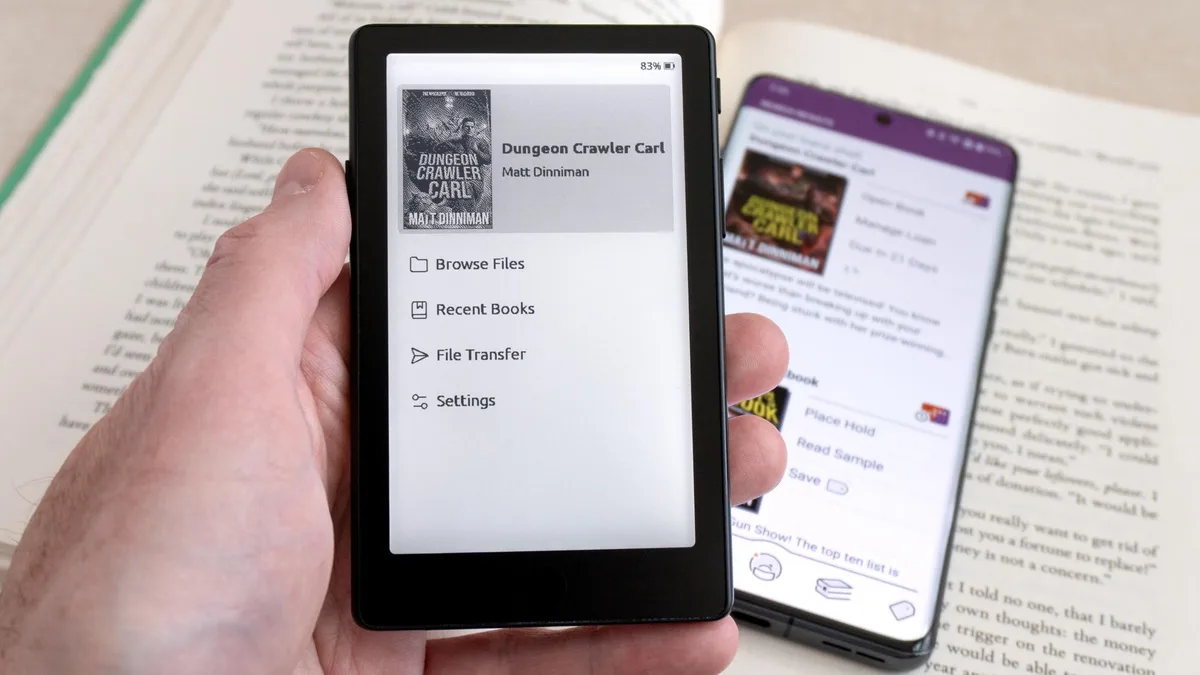
An e-reader is a portable digital device specifically designed for reading electronic books, typically utilizing electronic ink (E Ink) technology to mimic the appearance of printed paper. For users of Xteink devices—specifically the X3, X4, and X4 Pro—the primary limitation has historically been the lack of a native bookstore, forcing users to manually source DRM-free files. Recent developments in third-party firmware, specifically the integration of CrossPoint Reader, now allow these pocket-sized devices to access library-borrowed content through the Libby app.
According to industry reports, Xteink users previously relied on side-loading files, which often excluded copyrighted content protected by digital rights management (DRM). The introduction of plug-in support for CrossPoint Reader changes this workflow, enabling a more seamless transition between library borrowing and reading on hardware that was previously considered a niche, enthusiast-grade tool.
Yes, you can now access Libby-borrowed books on Xteink X3, X4, and X4 Pro devices by installing the CrossPoint Reader custom firmware. Because Xteink hardware does not ship with official support for OverDrive or Libby services, this community-developed firmware acts as a bridge, allowing the device to process DRM-protected files that were previously incompatible with the stock software.
To achieve this, you must install the CrossPoint Reader firmware, which is an open-source project maintained by the Xteink enthusiast community. This firmware replaces the manufacturer's default operating system, unlocking the ability to install third-party plug-ins. Once the plug-in architecture is enabled, you can authorize your device to handle the decryption protocols required to open files borrowed from your local library.
Installing custom firmware requires technical familiarity and carries inherent risks, including the potential to void your manufacturer warranty or render the device unresponsive. Follow these steps to prepare your device for library integration:
Keep exploring
More from Groundwork
- Back up all existing data on your Xteink device to a computer. Custom firmware installations typically wipe internal storage.
- Download the latest release of CrossPoint Reader from the official developer repository. Verify the checksum of the file to ensure it has not been corrupted during the download process.
- Connect your device to your computer via USB and transfer the firmware file to the root directory of the device storage.
- Trigger the update sequence through the device's settings menu. Ensure your battery is charged to at least 50% to prevent power failure during the installation.
- Once the firmware is installed, navigate to the newly created 'Plug-ins' menu and select the Libby or OverDrive integration module.
- Authenticate your library card credentials within the plug-in interface to sync your borrowed titles.
Modifying your device firmware is an elective process that introduces security and stability variables not supported by the manufacturer. While the ability to borrow library books is a significant quality-of-life improvement, it is important to understand that Xteink does not officially sanction these modifications.
If the device fails during a firmware flash, you may not be able to recover it using standard recovery tools. Additionally, because CrossPoint Reader is a community project, updates may be infrequent compared to official manufacturer software. Users should weigh the convenience of Libby access against the loss of manufacturer support and the potential for software bugs that could affect battery life or file navigation.
If you prefer not to modify your device, you are limited to side-loading DRM-free ebooks. Many users source these from public domain repositories like Project Gutenberg or Standard Ebooks. These files do not require DRM decryption and will work on your device natively without the need for custom firmware or library plug-ins.
However, if your primary goal is access to the vast catalog of current bestsellers available through public libraries, custom firmware remains the only viable path for Xteink hardware. If you find the technical requirements of installing CrossPoint Reader too complex, you may consider a device with native Libby integration, such as a Kobo or a Kindle, which provides a more stable, albeit more restricted, user experience.