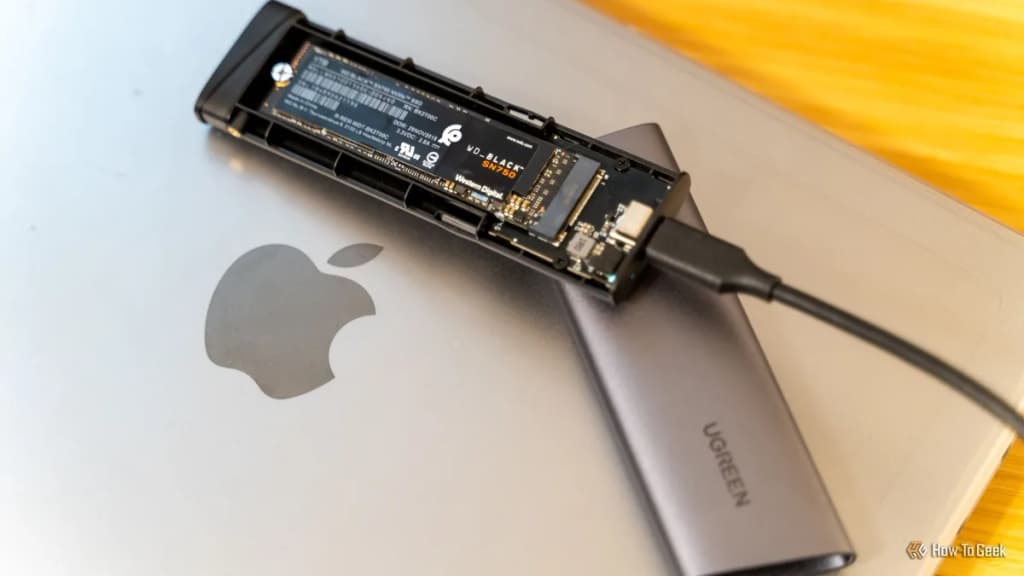
An SSD failure is categorized as either a logical failure, which involves software or data corruption, or a physical failure, which involves hardware degradation or damage. While logical failures are often recoverable through software diagnostics and reformatting, physical failures typically represent permanent hardware death that requires professional data recovery services.
According to industry data from Backblaze, SSD failure rates can vary significantly by manufacturer and usage environment, but most drives exhibit predictable wear-leveling behaviors before failing (Backblaze, 2023). Understanding the distinction between these two failure modes is the first step in deciding whether your data is salvageable or if the hardware needs immediate replacement.
A logical failure occurs when the SSD hardware is functioning correctly, but the operating system can no longer read or access the data due to software-level corruption. This type of failure often manifests as file system errors, damaged partition tables, or corrupted boot sectors that prevent your computer from recognizing the drive.
Because the underlying NAND flash memory and the controller remain intact, logical failures are often fixable. You may encounter symptoms such as:
- The drive is visible in your BIOS or UEFI settings but is inaccessible in Windows or macOS.
- Frequent "blue screen of death" (BSOD) errors related to file system corruption.
- Inability to read specific files or folders, despite the drive being detected.
- Error messages stating that the partition is RAW or unformatted.
To address a logical failure, start by checking the drive's status in your OS's disk management utility. If the disk appears as "Unallocated" or "RAW," you may be able to use data recovery software like TestDisk or Recuva to rebuild the partition table. If the data is not critical, formatting the drive often resolves the logical error, allowing the SSD to function normally again.
A physical failure is the permanent breakdown of the SSD’s internal components, such as the NAND flash chips, the controller, or the printed circuit board (PCB). Unlike logical issues, physical failures usually signify that the drive has reached its end-of-life or has suffered an irreparable electrical or mechanical event.
Keep exploring
More from GroundworkSigns of physical failure are often more severe and sudden than logical issues. These include:
- The SSD is not detected by the BIOS or UEFI at all.
- The computer experiences sudden, frequent freezes or crashes when accessing the drive.
- The SSD emits a burning smell or shows visible signs of damage to the PCB.
- The drive becomes "read-only," preventing any new data from being written or existing data from being modified.
When a physical failure occurs, standard software tools will be unable to communicate with the drive. In these instances, attempting to force the drive to mount can cause further damage to the data stored on the NAND chips. If the data is essential, you must contact a professional data recovery firm. Be aware that these services are expensive and not guaranteed to succeed.
To determine which type of failure you are facing, you must use diagnostic tools that query the Self-Monitoring, Analysis, and Reporting Technology (S.M.A.R.T.) data stored on the drive. This data provides insights into the health of the NAND flash and the total amount of data written to the drive (JEDEC, 2021).
Follow these steps to check your drive status:
- Download a reliable S.M.A.R.T. utility, such as GSmartControl or CrystalDiskInfo.
- Open the utility and select your SSD from the list of available drives.
- Check the "Health Status" or "Overall Assessment." If the status is "Caution" or "Bad," your drive is likely experiencing hardware-level degradation.
- Look for specific attributes like "Reallocated Sector Count" or "Media Wear Indicator." High values in these categories indicate that the drive is physically wearing out and should be replaced immediately, regardless of whether it is still booting.
If the S.M.A.R.T. data is unavailable or the drive does not appear in the utility, you are likely dealing with a physical controller failure.
While all SSDs have a finite lifespan, you can extend the longevity of your drive by managing how you interact with it. SSDs wear out based on the total number of terabytes written (TBW) to the NAND cells. By minimizing unnecessary write operations, you can delay the onset of physical degradation.
Practical steps to extend SSD life include:
- Avoid running disk defragmentation tools, as these perform unnecessary write cycles that are harmful to flash memory.
- Ensure your SSD has sufficient free space (at least 15-20%) to allow the controller to perform wear-leveling and garbage collection efficiently.
- Maintain proper cooling within your PC case, as high temperatures can accelerate the degradation of NAND flash components.