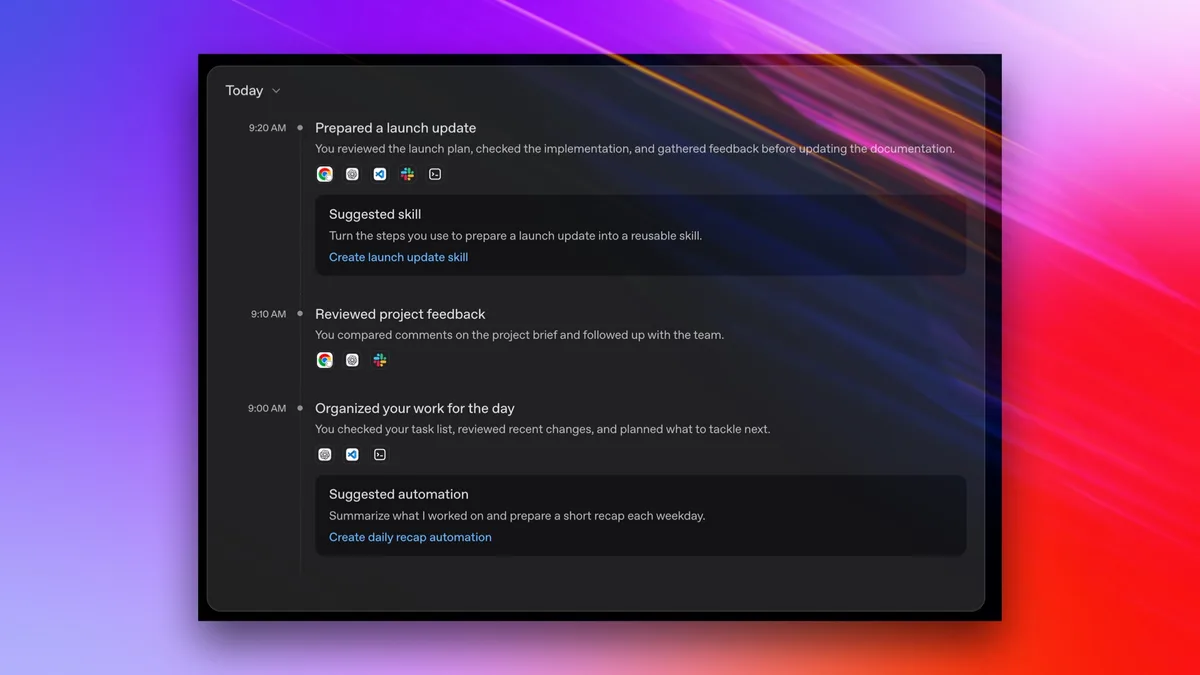
ChatGPT computer history is an opt-in feature for the macOS desktop application that allows the AI to log your interactions with websites and applications to provide context-aware assistance. By tracking clicks, keyboard shortcuts, and app switches, the tool aims to create a personalized memory of your workflow to better anticipate your needs in future conversations.
According to OpenAI, approximately 80% of users who engage with personalized AI agents report higher satisfaction when the model understands their recent workflow context (OpenAI Documentation, 2024). This feature is currently limited to Pro, Team, and Enterprise subscribers using the macOS desktop app, with availability restricted in the European Economic Area, Switzerland, and the United Kingdom.
How does the computer history feature work?
Computer history functions by utilizing the macOS accessibility API to observe your interaction patterns rather than capturing visual data. Unlike Microsoft’s Windows Recall, which takes periodic screenshots of your desktop, OpenAI’s implementation logs metadata about your activity—such as the names of applications you switch between and the specific keyboard shortcuts you use—to generate a textual summary of your work session.
To enable this, you must grant the ChatGPT application specific permissions within your macOS System Settings under 'Accessibility.' Once enabled, the app periodically synthesizes these events into a summary stored locally on your machine. This summary serves as a 'memory' that the AI can reference when you ask questions about files you recently opened or tasks you performed earlier in the day.
While OpenAI states that activity summaries are stored locally and are not used to train their global AI models, the feature still introduces significant privacy considerations. Because the tool logs specific interactions—including app switches and typing patterns—it is theoretically possible for the system to infer sensitive information about your habits or the content of your work, even if it does not technically 'record' your screen.
Keep exploring
More from GroundworkSecurity researchers often classify these types of features under the umbrella of 'privacy-slash-security complacency,' where the convenience of automation may inadvertently expose data to browser fingerprinting or deanonymization risks (CNET, 2024). Before enabling this feature, consider that you are granting a third-party application a granular view of your digital workflow. If you handle highly sensitive or regulated data, the risk of accidental information leakage or unauthorized access to these local logs may outweigh the productivity benefits.
How can you manage or disable your computer history?
OpenAI provides granular controls for users who want to leverage the feature without sacrificing total privacy. You are not required to let the AI track every application you use; you can manually select which apps and websites are permitted to be logged in your settings menu.
- Open the ChatGPT macOS application.
- Navigate to 'Settings' and select the 'Computer History' tab.
- Toggle the feature to 'Off' if you wish to stop all tracking immediately.
- Use the 'Manage' or 'Edit' list to exclude specific applications (such as banking or confidential work apps) from being tracked.
- Select 'Clear History' periodically to delete the local logs stored on your system.
Is computer history right for your workflow?
Deciding whether to use computer history depends on the balance between your need for AI-assisted context and your risk tolerance for data logging. If your work involves frequent switching between many browser tabs and multiple applications, the feature can save time by helping you locate files or recall specific research steps. However, for users working in legal, medical, or financial sectors, the potential for metadata exposure remains a significant concern. Always review the specific data retention policies provided in the application settings before activating any feature that monitors system-level inputs.