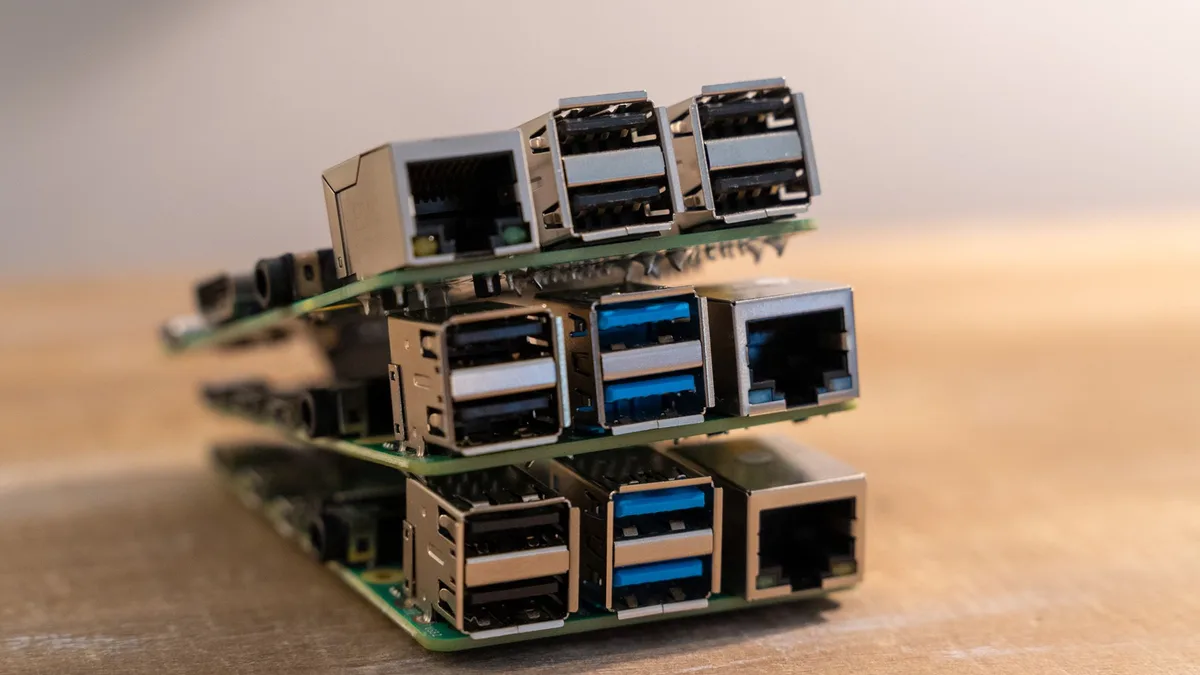
A single-board computer (SBC) is a complete, miniaturized computer built on a single circuit board, designed for hobbyist projects, industrial automation, and embedded systems. While the Raspberry Pi 5 is a versatile tool for programming and electronics, it is not a sufficient replacement for a dedicated desktop PC due to its limited thermal overhead, reliance on microSD storage, and modest GPU performance.
According to technical performance benchmarks, the Raspberry Pi 5’s CPU frequently hits thermal limits under heavy multitasking loads, which triggers throttling that slows system response times (Source: Raspberry Pi Foundation). Furthermore, the standard use of microSD cards as boot drives creates a significant input/output (I/O) bottleneck, as even high-speed cards cannot match the read/write throughput of modern solid-state drives (SSDs) found in standard mini PCs.
The Raspberry Pi 5 struggles as a desktop replacement because its architecture is optimized for low-power operation and embedded tasks rather than high-performance computing. When running modern web browsers with multiple tabs or productivity suites, the combination of a limited GPU and the latency of microSD storage results in noticeable lag and system stuttering that hampers the user experience.
While the Raspberry Pi 5 can be upgraded with an M.2 HAT to support NVMe storage, the total cost of the board, power supply, cooling, and storage expansion often approaches the price of a refurbished or entry-level mini PC. These dedicated mini PCs typically feature integrated mobile processors that offer higher clock speeds, better cooling efficiency, and native support for faster storage standards, making them objectively superior for daily desktop computing tasks.
If you require a compact computing solution that behaves like a traditional desktop, you should look toward boards built on x86 architectures or high-performance ARM chips. These alternatives provide the hardware headroom necessary for smooth multitasking, media consumption, and software development, which are common requirements for a primary or secondary desktop station.
Keep exploring
More from Groundwork
- Radxa Rock 5B: This board features an 8-core processor and significantly more powerful GPU capabilities than the Raspberry Pi 5. It includes native M.2 support for high-speed NVMe SSDs, which eliminates the storage bottleneck that plagues microSD-based systems.
- Orange Pi 5 Max: Similar to the Radxa, the Orange Pi 5 Max offers a robust hardware configuration that excels in Linux-based desktop environments. It provides sufficient memory bandwidth to handle multiple applications simultaneously without the thermal throttling issues common in hobbyist boards.
- ASUS Tinker Board 3N: Designed for industrial and professional use, this board offers a more stable software ecosystem and higher build quality. It is designed to run continuously under load, making it a reliable choice for a "set it and forget it" home office computer.
- Intel NUC or generic mini PCs: While these are not strictly SBCs, they represent the logical endpoint of seeking desktop-level performance. Because they use x86 architecture, they offer full compatibility with mainstream Linux distributions and Windows, avoiding the driver and software compatibility hurdles that often accompany ARM-based desktop setups.
Choosing the correct hardware depends on your specific use case. If your goal is to learn electronics or build custom sensors, a Raspberry Pi remains the industry standard due to its unmatched community support and GPIO (General Purpose Input/Output) headers. However, if your primary goal is a responsive Linux desktop experience, prioritize hardware that features native NVMe slots and active thermal management.
When evaluating an alternative, look for boards that support at least 8GB of LPDDR4x or LPDDR5 RAM. This is the minimum requirement for a smooth experience in modern desktop environments like GNOME or KDE Plasma. Always verify that your chosen board has an active community or official vendor support for the specific Linux distribution you intend to run, as driver availability can be a significant pain point for less popular SBCs.
To move forward, first define whether you need the GPIO pins for hardware projects. If you do not, purchase a refurbished mini PC with an Intel i5 or AMD Ryzen processor; these will outperform any SBC in desktop applications for a similar total investment. If you prefer the SBC form factor, ensure you allocate budget for high-quality power supplies and heat sinks to maintain performance stability.